Marketing asset distribution
campaign files, ready for the network
A dealer finds the current logo in one search; an agency takes a campaign’s files as one kit; the central team sees who took what. One controlled place where a marketing team releases approved campaign material, and where dealers, agencies and other authorised partners find, preview, collect, download and share the right files. Campaign dates, packaged kits and automatic archiving keep current material easy to use without erasing the history the central team may still need.

- Best for
- Distribution
- Area
- Operations
Problem
Marketing assets tend to escape into e-mail threads, shared drives and personal folders. A dealer asks which logo is current; an agency downloads files one by one; a campaign owner sends another large attachment because the original link is lost; and the central team cannot tell which outlets received or used the material. When a campaign ends, obsolete artwork remains beside the new release and people keep picking the wrong version.
The recognisable symptoms are repeated requests for the same files, hand-built download bundles, multiple copies with uncertain dates, spreadsheets maintained separately from the files, and people chasing an administrator for access or for permission to retrieve an older campaign.
Who it’s for
For a central marketing or brand team that distributes approved material to a known external network: dealers, franchisees, agencies, local offices or campaign partners. It fits when material is organised by campaign, model, channel, format or other controlled labels; when releases have a start and end date; and when the owner needs to distinguish current material from retained history.
It also fits organisations with recurring partner onboarding, because access can be requested, granted in bulk, limited to permitted actions and withdrawn when a temporary account or password policy expires.
It is not for:
- a creative-production team looking for proofing, annotation and design approval inside the same workspace;
- public, anonymous file publishing where every visitor should receive the originals;
- automatic publishing into advertising, social or dealer-site channels;
- a records repository whose primary requirement is legal retention and disposal rather than campaign distribution;
- an organisation that cannot nominate people to curate metadata, release kits and administer partner access.
Capabilities
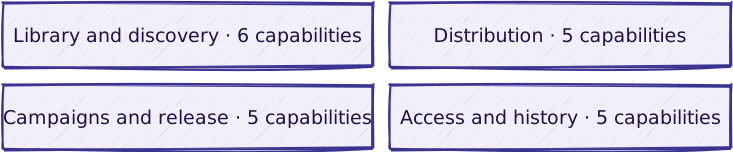
Library and discovery
| Capability | What it does |
|---|---|
| Marketing asset catalogue with controlled metadata | A searchable marketing library organised by business metadata such as campaign, model, category, format, channel and intended medium |
| Keyword search and metadata-led discovery | Search by keyword, browse campaign or model groupings, and filter by the labels relevant to the job |
| Asset previews and detail pages | A partner can check the material, its labels and its campaign context before downloading the original |
| Upstream library connection | Brings selected folder contents, identifiers, change dates and preview renditions from an existing asset library into the distribution catalogue |
| Secure-drop ingestion | Turns files placed in a watched transfer folder into image, video, audio or downloadable media records |
| Editorial media-reference check before deletion | Warns before a media item still referenced somewhere is deleted |
Campaigns and release
| Capability | What it does |
|---|---|
| Dated campaign kits with status and channel labels | Named, dated collections of approved assets prepared for one launch or initiative, with an illustration, status label and intended media channels |
| Campaign calendar | Places current and upcoming kits on a shared timeline and links each entry back to the packaged material |
| Single featured campaign kit | One position for the campaign the central team wants the network to see first, occupied by one kit at a time |
| Automatic campaign and asset archiving | Marks expired kits and their contents as finished and removes normal download access while retaining the records |
| Archive access | Gives nominated users continued download access after ordinary campaign availability ends |
Distribution
| Capability | What it does |
|---|---|
| Personal asset collection | A user gathers assets during a search, removes mistakes, then distributes or downloads the selected set together |
| Individual original-file download | Controlled download of a single original |
| Selected-asset download bundle | One download for a selection of assets |
| Whole-kit download bundle | One download for a whole campaign kit |
| E-mail distribution with time-limited asset links | Selected assets sent as time-limited links to outside recipients |
Access and history
| Capability | What it does |
|---|---|
| Self-service access request | A public access-request form that notifies the nominated administrators |
| Bulk partner-account provisioning | Administrator-created accounts, bulk onboarding, configurable welcome messages, temporary accounts and blocking on password expiry |
| Sign-in, view, download and transmission history | A usage trail for sign-ins, asset views, downloads, kit downloads and e-mail transmissions |
| Campaign uptake spreadsheet | A per-campaign export showing whether each dealer organisation downloaded or transmitted each asset in a kit |
| Managed operation | The ongoing operation of the delivered platform; see Managed Hosting |
The upstream-library and secure-drop capabilities are alternative intake paths and can coexist with manual curation. Self-service access requests still require an administrator to decide who is approved and which access profile they receive. Archive access should be granted narrowly because it deliberately bypasses the normal end-of-campaign restriction.
What is included in a given delivery, and how it is delivered: configuration vs. custom · delivery approach.
Not included
- Creative production and proofing. There is no annotation, artwork review or design approval workflow; approved files arrive from elsewhere.
- A four-eyes release workflow. Draft and publish states exist, but a separate reviewer approving a release is configuration to agree per delivery, not a behaviour the pattern provides.
- Automatic account approval. The access-request form notifies administrators; it does not verify the requester, approve them or create the account.
- Single sign-on or federation. Partners sign in to the platform’s own accounts; there is no connection to a corporate identity provider.
- Rights and licence management. Campaign end dates control availability. Territory, talent, music and usage-right expiry rules are not modelled.
- On-demand asset transformation. The platform distributes uploaded originals and prepared previews; users cannot resize, crop or convert formats themselves.
- Automatic downstream publishing. Nothing is delivered onwards into dealer websites, advertising systems, social networks or print-production systems.
- Deletion at campaign close. Expired kits and assets are retained as archived records. Disposal requires a separate retention decision.
- Automatic reconciliation of upstream deletions. When an asset disappears from the source library while it is still part of a campaign kit, the reconciliation rule is agreed per delivery rather than assumed.
Reference workflow

Read the steps
- Trigger. A campaign owner has approved material to distribute for a launch, promotion or recurring brand programme.
- Intake. An authorised content manager adds the originals, or imports them from a configured source. Each asset receives the metadata partners will search by and a preview suitable for checking before download.
- Packaging. The content manager creates a kit: a business collection for one campaign, with a name, illustration, availability dates, status label, relevant channels and the assets that belong together. Asset thumbnails are shown while assembling the collection to reduce selection mistakes.
- Release. An authorised publisher makes the kit available and may choose it as the single featured campaign. Whether a separate reviewer approves a release before it goes live is agreed per delivery; the pattern does not impose one (see Not included).
- Access. An existing partner signs in. A new outside user can submit an access request; the nominated administrators receive the details, decide outside that form whether to approve the person, and create or import the account with the appropriate status and roles. The request itself does not create an account.
- Discovery. Dealers and agencies search by keyword, browse campaign or model groupings, filter by the labels relevant to their job, and preview assets before choosing them.
- Distribution. A user downloads one asset, builds a personal collection for a combined download, or sends selected assets as time-limited links. Archived items are excluded unless the user has the specific archive privilege.
- Follow-up. The platform records sign-ins, views, downloads and transmissions. A campaign owner can use the optional export to see uptake by dealer organisation and asset.
- Close. Once a kit reaches the configured end of its availability, a scheduled operation marks the kit and its included assets archived and finished. Ordinary users can still see the retained campaign context but cannot download the archived originals; nominated archive users can.
Where it does not hold:
- A kit contains no currently downloadable assets. The combined download is refused rather than producing an empty package.
- A mixed selection includes archived material. The system keeps the permitted active items and tells the user that restricted items were left out; if nothing remains, it stops the operation.
- An asset has no end date. The asset is skipped by automatic archiving and the omission is logged for an administrator to resolve.
- An upstream item disappears. The local catalogue entry is removed; an asset that is already part of a campaign kit follows the reconciliation rule agreed at implementation.
- A temporary account or governed password expires. The account is blocked at sign-in and the user is directed to an administrator; notification is sent when the relevant policy enables it.
Reference architecture
Technology-neutral first — this is the blueprint:

The reusable boundaries are the curated asset catalogue, the campaign-kit layer, the authenticated partner workspace, the access-administration path and the lifecycle/activity record. A source library supplies material; it does not decide what the distribution audience can see.
Implementation stack of the delivered instances: Drupal 10 on PHP with a relational database and managed file storage; a search index with faceted discovery; scheduled and queued background work for ingestion, packaging and archiving; spreadsheet reports generated from recorded activity.
Integrations

| System | Direction | What moves |
|---|---|---|
| Upstream asset library | in | Administrator-triggered — folder membership, asset identifiers, names, formats, change dates and preview renditions |
| Watched transfer folder | in | Scheduled — image, video, audio and archive files |
| Mail service | out | On demand or policy event — asset links, access requests, welcome messages and password-expiry notices |
| Spreadsheet export | out | On demand — per-campaign, per-dealer download and transmission indicators |
| Search service | out | Continuous — searchable asset metadata |
Assets are not published onwards to dealer websites, advertising platforms or social channels; the partner retrieves them and uses them in their own channels.
Security and ownership
Baseline: security-baseline. Specific to this blueprint:
- Original downloads require an authenticated account and a dedicated download permission. Browsing access alone is not the same as permission to retrieve originals.
- Archived downloads are a separate restricted capability. Ordinary users are denied archived assets and kits, including when a mixed bulk selection is prepared.
- Account administration is delegated deliberately. Bulk importers can only assign roles their own account is allowed to assign; imported accounts can be active or blocked and can receive a welcome message.
- Temporary access ends by blocking the account. A temporary-account end date is checked during sign-in. Password policies can also block the account and optionally notify the user when the governed password has expired.
- E-mailed asset links are time-limited. They can be opened without a signed-in session until their embedded validity expires, so mail-recipient choice and link forwarding are part of the access model.
- Activity records identify the actor. Sign-ins, views and downloads record the user and network address; transmissions record the sender, recipient and asset; kit downloads are recorded separately.
- Roles are granular and agreed per delivery. The pattern separates curating, publishing, reporting and administering users, and distinguishes a partner organisation from its parent. Which role holds which permission is fixed in the access matrix agreed at implementation.
- Campaign material is archived, not deleted. Archiving ends ordinary download access and keeps the record. Retention periods and the data-subject erasure procedure are agreed at implementation and documented for it.
- Ownership is set in the delivery agreement. Who owns the code, the stored assets, the activity data and the infrastructure is established in the delivery agreement.
Does one of these look like your operation?
Start with the diagnostic. We map how your work actually flows, then adapt the blueprint to it.